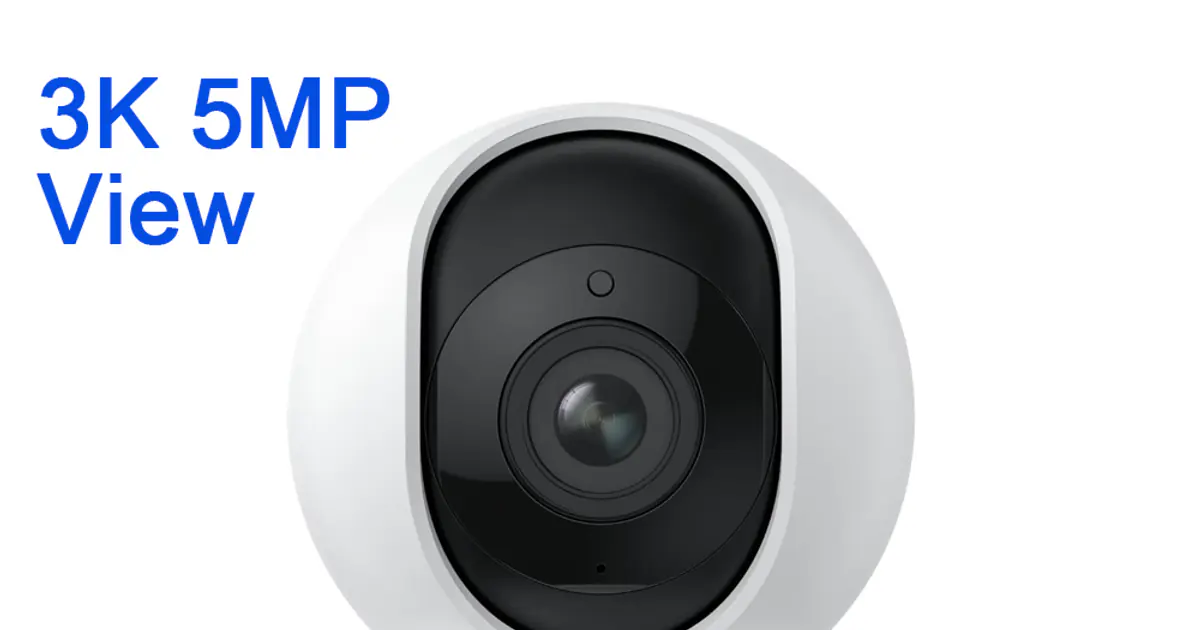
Smart home cameras have come a long way. A few years ago, getting a sharp, reliable indoor camera meant spending $80 or more on a Nest or Ring. Today, you can get a 3K pan-tilt camera with auto tracking, night vision, and two-way audio for less than $35 on AliExpress — and it'll work just as well in most homes.
But the market is crowded. Dozens of cameras share the same generic housing and differ only in firmware quality, app reliability, and after-sales support. Sorting the genuinely good ones from the also-rans takes some digging. This guide covers what actually matters when choosing a smart home camera, cuts through the noise on specs, and recommends five cameras worth considering in 2026 — all available on AliExpress.
What to Look for in a Smart Home Camera
Before getting into product recommendations, let's talk about what the specs actually mean and which ones matter for real-world use.
Resolution: How Much Detail Do You Actually Need?
Most cameras are sold with their resolution as the headline number. Here's a quick breakdown:
- 1080p (2MP): Adequate for small rooms where you're within 3–4 meters of the camera. Faces blur quickly at a distance.
- 2K / 3MP: A meaningful step up. You can make out faces at 5–6 meters and read text on packages.
- 3K / 5MP and above: Excellent clarity across a full room. Worth paying for if you want to identify people reliably.
Unless you're monitoring a very small, close-range area — a crib, a pet bowl, a doorbell — aim for at least 2K. The price difference between 1080p and 3K cameras is often just a few dollars on AliExpress, so there's no good reason to skimp.
Field of View
Most indoor cameras offer a horizontal field of view (FoV) between 80 and 120 degrees. A wider FoV covers more of a room but introduces more distortion at the edges. For a typical bedroom or living room, 85–110 degrees horizontal is the sweet spot.
Pan-tilt cameras can compensate for a narrower FoV by rotating to cover a wider area — a 355-degree pan means the camera can see the whole room over time, even if each snapshot has a narrower FoV.
Storage: Local vs. Cloud
This is one of the most important decisions, and it's often undersold in product listings.
Cloud-only cameras (like some Nest and Blink models) require a paid subscription to access recorded footage. If you don't pay, you typically only get live view, no history. Cloud storage costs range from $3 to $10/month per camera — which adds up fast across multiple cameras.
Local storage cameras let you insert a microSD card and record directly to it. No subscription needed for basic recording. Most cameras support 64GB to 256GB cards. At 2K resolution with motion-only recording, a 128GB card holds several weeks of footage.
Hybrid cameras offer both — record locally for free, add cloud as an optional upgrade.
For most people, local storage is the better default. You own the footage, there's no recurring cost, and you're not dependent on a third-party server staying online.
Night Vision: IR vs. Color
Almost all cameras in this price range use infrared (IR) night vision, which produces black-and-white footage in low light. IR range varies — budget cameras manage 5–6 meters, better models reach 9–12 meters. IR night vision works well for motion detection and basic identification.
Color night vision cameras use a larger image sensor (often called Starlight or Color Night Vision) that captures color even in dim ambient light. The footage looks much more like daylight video. These cameras cost a bit more but are worth it if you want to see what color clothing an intruder was wearing or identify pets reliably in the dark.
Privacy: Something Most Buyers Ignore
Indoor cameras are a privacy decision, not just a security one. A few things to keep in mind:
- Data residency: Where does the footage go? Cameras from Chinese brands sometimes route footage through servers in mainland China. Check the privacy policy.
- Local-network-only mode: Some cameras (especially when used with an NVR or Home Assistant) can operate without cloud connectivity at all. If privacy is a serious concern, look for cameras with a documented local API.
- Lens cover: Some cameras include a physical privacy shutter or a "privacy mode" that swings the lens away from the room. Useful for bedrooms.
- Account requirements: Most cameras require an account to set up. Consider using a dedicated email address for smart home devices.
WiFi: 2.4GHz vs. Dual-Band
Most budget cameras support 2.4GHz WiFi only. This is fine for most homes — 2.4GHz has better range and penetrates walls better than 5GHz. The downside is that 2.4GHz is more crowded in dense apartment buildings, which can cause occasional connection drops.
If you live in a building with many competing WiFi networks, look for a dual-band camera that supports both 2.4GHz and 5GHz.
5 Smart Home Cameras Worth Buying on AliExpress in 2026
1. Reolink E1 Pro — Best Overall Pick
Price: approximately $28–$38 | Resolution: 3K / 5MP | Pan-tilt: Yes | Night vision: IR
The REOLINK E1 Pro 3K 5MP WiFi IP Camera with pan-tilt and auto tracking is our top recommendation for indoor home security. It delivers genuine 3K (2560×1920) image quality — sharp enough to identify faces across a full-size living room — combined with reliable auto-tracking that follows motion around the room without manual input.
What makes the E1 Pro stand out is its combination of local storage (microSD up to 256GB, no subscription required), 355-degree pan, and a straightforward app that works globally. Setup takes under five minutes. It connects to Alexa and Google Home for voice-controlled live viewing on smart displays.
The main limitation is 2.4GHz-only WiFi and IR-only night vision (no color low-light mode). But for the price, it's the best all-rounder on AliExpress in this category.
Best for: Nurseries, living rooms, pet monitoring, anyone who wants pan-tilt coverage without a subscription.
2. Tapo C200 — Best Budget Entry Point
Price: approximately $18–$25 | Resolution: 1080p / 2MP | Pan-tilt: Yes | Night vision: IR
The TP-Link Tapo C200 is the most affordable pan-tilt camera that's actually worth recommending. At 1080p it's not as sharp as the E1 Pro, but it's a solid performer for small rooms where you're always within 3–4 meters of the camera. The Tapo app is well-designed, and the camera integrates deeply with other TP-Link smart home devices (Tapo plugs, Kasa switches, etc.).
If you're on a very tight budget or monitoring a small space, the C200 is a reliable, no-nonsense choice. Step up to the Tapo C210 (2K / 3MP) if you can stretch the budget another $5–8.
Best for: Small rooms, beginners, buyers already invested in the TP-Link ecosystem.
3. Xiaomi Mi Home Security Camera C400 — Best for Xiaomi Smart Home Users
Price: approximately $30–$45 | Resolution: 4MP / 2.5K | Pan-tilt: Yes | Night vision: Full-color
The Xiaomi C400 is a 4MP camera with full-color night vision — a rare feature at this price. During the day the image is sharp and detailed. At night, rather than switching to black-and-white IR mode, the C400 uses supplemental warm LEDs alongside its sensor to produce color footage even in near-darkness.
It connects to the Xiaomi Mi Home app and integrates with the Mi/Aqara smart home ecosystem. If you already have Xiaomi smart devices (lights, sensors, speakers), the C400 slots in seamlessly.
The app is primarily designed for the Chinese market, and some features work better with a mainland China account. Global firmware is available but occasionally lags behind the Chinese version. Not ideal for privacy-conscious buyers, but a technically impressive camera for the price.
Best for: Xiaomi smart home users, anyone who wants color night vision under $45.
4. Eufy Indoor Cam 2K (C24) — Best for Privacy-Conscious Buyers
Price: approximately $35–$50 | Resolution: 2K / 3MP | Fixed | Night vision: IR with optional color
Eufy (an Anker brand) has built a strong reputation for privacy-friendly cameras that store footage locally rather than in the cloud. The Indoor Cam 2K uses HomeBase for local storage rather than relying on a cloud server, and Eufy has documented commitments to keeping footage on-device.
It doesn't have pan-tilt, so you're committing to a fixed angle. But it has excellent AI-powered person detection (distinguishes people from pets and general motion) and works with Apple HomeKit, Alexa, and Google Home. The physical privacy shutter is a nice touch.
Best for: Privacy-conscious buyers, Apple HomeKit users, anyone who wants strong person-detection AI.
5. Imou Bullet 2E — Best for Outdoor-Ready Coverage
Price: approximately $25–$35 | Resolution: 4MP | Fixed | Night vision: IR + optional color
Most of the cameras above are indoor-focused. The Imou Bullet 2E (a Dahua brand) is an IP67-rated weatherproof camera that works well both indoors and outdoors. At 4MP with a 90-degree field of view, it covers doorways, garages, and small yards effectively.
It's not a pan-tilt camera, but the fixed wide-angle lens and weatherproofing make it a practical choice for anyone wanting to monitor an entry point or outdoor area. The Imou app is straightforward, and the camera is compatible with Alexa and Google Home.
Best for: Outdoor entry points, garages, anyone who needs weatherproof coverage.
Buying Tips for AliExpress Camera Shoppers
Check seller ratings and review photos. Camera listings on AliExpress vary widely in seller quality. Filter for stores with 95%+ positive feedback and at least 100 reviews. Look at buyer-uploaded photos, not just the product photos — they show what you'll actually receive.
Be realistic about shipping times. Standard shipping from China takes 2–4 weeks. Pay for expedited shipping (AliExpress Standard Shipping or DHL) if you need the camera sooner. Cost is usually $3–6 extra and cuts delivery to 7–14 days.
Check compatibility before buying. Make sure the camera's app is available in your country's app store. Some cameras are region-locked or have features disabled outside China. Check Google Play and the App Store before purchasing.
Prices fluctuate — use coupons. AliExpress prices change frequently with flash sales, 11.11, and category-specific coupons. Use the wishlist feature to track a camera's price over a few days. Seller coupons often appear on product pages and can save $3–10.
Confirm voltage compatibility. Most cameras ship with a USB-A power adapter. Double-check the input voltage (it should say 100–240V) if you're outside the US or EU with different outlet standards.
Setting Up Your Camera for Best Results
Once your camera arrives, a few setup tips make a real difference in performance:
Place it high and central. A camera mounted at 2–2.5 meters gives you a good downward angle on faces. Corner placement minimizes blind spots. Avoid placing it directly facing a window — strong backlighting will wash out the image.
Optimize WiFi signal. Cameras use a constant WiFi connection. If signal is weak, consider a WiFi extender or a mesh node closer to the camera. Packet loss causes choppy live view and missed motion events.
Set motion sensitivity correctly. Default motion sensitivity is often too high, which floods your phone with notifications. Start at medium sensitivity and adjust based on false positives from curtains, fans, or shadows. Activity zones (supported on most cameras) let you define exactly which part of the frame triggers alerts.
Test night vision before you rely on it. Turn off the lights and check the night vision range. IR range varies between cameras, and budget models sometimes overstate it. If the effective range is shorter than you need, add a small IR illuminator (available for a few dollars on AliExpress) to extend it.
Keep firmware updated. Smart camera security vulnerabilities are real. Open the app weekly for the first month to apply any firmware updates. After that, check monthly. Cameras running outdated firmware are a security risk on your home network.
Frequently Asked Questions
Most established brands (Reolink, Tapo/TP-Link, Eufy) have solid security track records. Generic no-name cameras are riskier — they may have unpatched vulnerabilities or route footage through insecure servers. Stick to known brands, keep firmware updated, and put cameras on a dedicated IoT WiFi network for extra safety.
Not necessarily. Cameras with a microSD card slot record locally at no extra cost. Many AliExpress cameras support 64–256GB cards. Cloud storage is optional on most models — only a few cameras (like some Nest models) require a subscription to access any recorded footage.
For a typical living room (5–8 meters across), 2K (3MP) is the minimum for reliable face identification. 3K/5MP gives noticeably clearer detail. 1080p is adequate only for small rooms where you're close to the camera.
Several cameras on this list have Home Assistant support. Reolink cameras have an official Home Assistant integration. Eufy works via HACS integrations. Tapo cameras also have community integrations. For the deepest local control, look for cameras with RTSP stream support — this works with Home Assistant and most NVR software.
AliExpress often has the lowest prices on Reolink, Tapo, and Xiaomi cameras. Check flash sales, use available coupons on the product page, and compare a few sellers for the same model. Amazon is worth checking for price matching on established brands.