Smart LED strips from Philips Hue cost $80+. Govee's Wi-Fi variant delivers 90% of the experience for a fraction of the price — and it works with Alexa, Google Home, and a capable app out of the box. For bedroom ambiance or bias lighting behind a TV, this is the AliExpress smart lighting pick to start with.
Vivid colors, reliable Wi-Fi connectivity, and seamless voice assistant integration make this a strong Philips Hue alternative at a quarter of the price.
Pros
- ✓Works with Alexa, Google Home, and the Govee Home app without a hub
- ✓16 million color options with accurate color reproduction at medium-high brightness
- ✓Music sync mode responds to bass and treble in real time
- ✓Strong 3M adhesive backing holds on painted walls and furniture
Cons
- ✗Requires 2.4GHz Wi-Fi — 5GHz networks not supported
- ✗App requires account creation to use Wi-Fi features
- ✗Maximum brightness (800 lumens for 5m) suitable for accent lighting, not room illumination
Design & Build
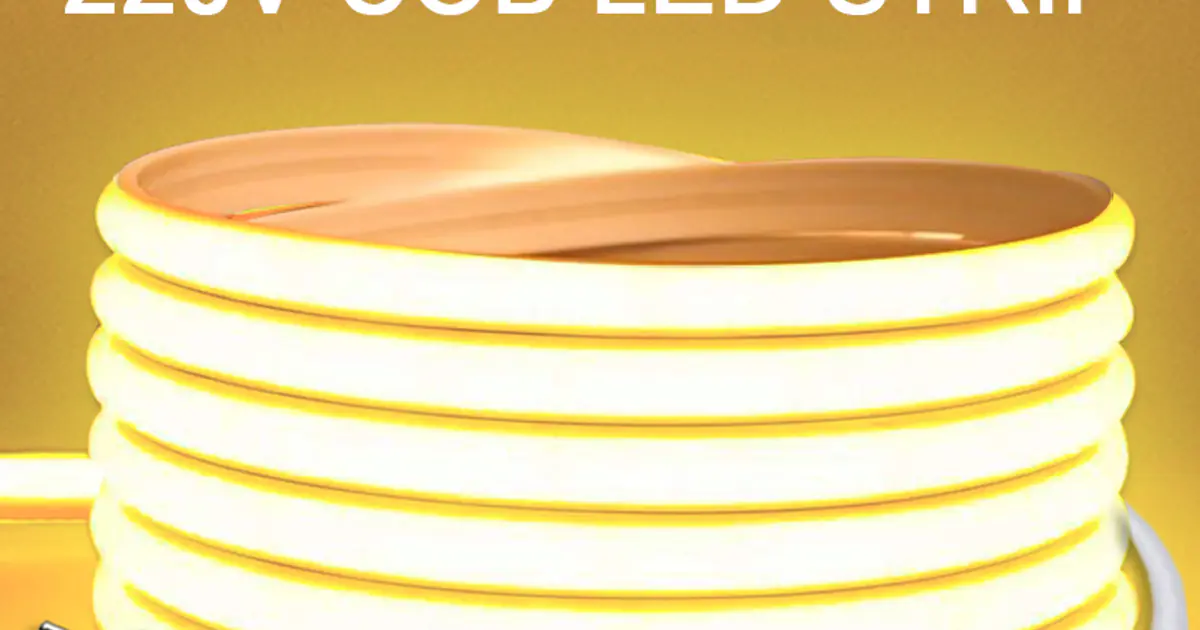
The Govee H6159 comes in 5m and 10m lengths with a controller box that plugs into a standard USB power adapter (included). The strip is 10mm wide with dense LED placement — 30 LEDs per meter, giving smooth color blending without visible hotspots at normal viewing distances. The 3M adhesive is strong; on a clean painted surface it holds firmly. Cutting points are marked every 3 LEDs (10cm), and Govee sells extension connectors if you need to route around corners.
Performance & Key Features
Setup takes under 5 minutes: power on, connect to the Govee Home app, enter your 2.4GHz Wi-Fi password. No hub required. Once connected, Alexa and Google Home integration adds the strip as a discoverable light device within 30 seconds. Color accuracy is good — reds are vivid, blues are deep, and white is a warm 3000K (not the harsh blue-white of cheap strips). Music sync uses the controller's built-in microphone and responds noticeably to rhythm changes. Scene presets include candle flicker, aurora, and rainbow cycling.
Real-World Experience
Behind a 55-inch TV as bias lighting, the Govee strip reduces eye strain noticeably during evening viewing. The Govee Home app lets you schedule the strip to turn on at sunset and off at midnight — a feature that works reliably in practice. Voice commands via Alexa work consistently. The main friction point: the 2.4GHz-only Wi-Fi requirement means it won't connect if your router broadcasts only 5GHz or a combined band that the strip can't negotiate.
Routing around corners and cable management: The Govee strip is flexible but not infinitely so — tight 90-degree bends directly on the LED side can cause hotspots or dimming over time. For desk setups, route the strip along the inside edge of the desk frame using gentle curves rather than sharp folds. Govee sells L-shape connectors and extension cables that maintain clean signal across corners without stressing the LED substrate. For longer runs, the 10m kit is more cost-effective than two 5m kits connected with an extension.
Desk setups: Mounted along the back rim of a standing desk, the Govee strip provides soft indirect lighting that reduces screen glare without casting harsh shadows. Running it along the underside of wall-mounted shelves above a monitor works equally well — the downward-facing light creates a clean halo effect without exposing the strip itself.
Gaming rooms: The music sync mode responds to game audio output through the controller's built-in microphone, which means it reacts to on-screen sounds in addition to background music. For first-person shooters with heavy sound design, the color shifts add genuine atmosphere. Pair with the "Razer Chroma" scene preset in the app for a purple-green gaming palette, or build a custom scene tied to your game's color scheme.
Comparison: Govee vs Budget Alternatives
Govee H6159 vs DAYBETTER LED Strip (~$8–$12): DAYBETTER strips are cheaper but include no app, no Wi-Fi, and no voice assistant support — control is via a basic IR remote. If you just want static color changes without any smart home integration, DAYBETTER works. But for scheduling, scenes, and Alexa/Google Home control, Govee is worth the $4–$6 premium.
Govee H6159 vs GLEDOPTO Zigbee LED Strip (~$25–$35): GLEDOPTO requires a Zigbee hub (such as Philips Hue Bridge or a Zigbee USB stick with Home Assistant) but offers significantly more reliable connectivity and local processing — no cloud dependency. If you already run a Home Assistant setup, the GLEDOPTO is the better long-term choice for reliability and automation depth. For users without a Zigbee hub, the Govee's plug-and-play Wi-Fi setup is more practical.
Price & Where to Buy
The 5m version typically sells for $12–$18 on AliExpress; the 10m for $20–$28. Verify current listing prices — Govee runs frequent sale events. Standard shipping is 2–4 weeks; AliExpress Standard Shipping is 7–15 days.
Buy if...
- •TV and gaming setup owners who want bias lighting without a $80 Philips Hue bill
- •Renters who can't paint walls — the adhesive is strong but removable with care
- •Anyone with Alexa or Google Home who wants to add color lighting scenes
Skip if...
- •Users with 5GHz-only Wi-Fi networks — look for a Bluetooth-only strip instead
- •Those needing primary room lighting — max brightness is accent-level only
Frequently Asked Questions
Yes — the controller has a physical button for on/off and color cycling. Wi-Fi is only required for app control and voice assistant features.
Yes, every 3 LEDs (approximately every 10cm) there is a cut mark. Cut only at these marks — cutting elsewhere damages the circuit. The cut end is not reusable.
Not natively. The H6159 works with Alexa and Google Home. For HomeKit, look for Govee's Matter-compatible strips or use the Homebridge integration.
Enable the Govee Home skill in the Alexa app and link your Govee account. The strip appears as a discoverable device within 30 seconds.
AliExpress via the Govee official store typically has the lowest prices. The 5m kit runs $12–$18. Check the listing — prices vary with flash sales.