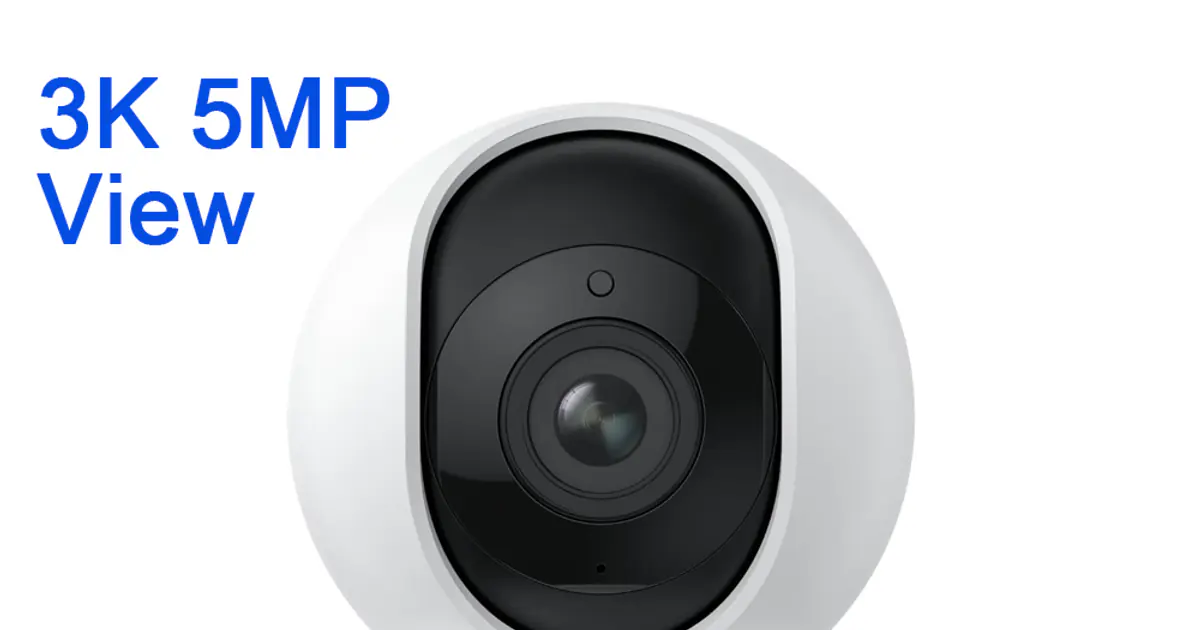
If you want a capable indoor security camera without paying a premium or locking yourself into a cloud subscription, the Reolink E1 Pro is hard to beat. It shoots at 5MP (3K resolution), follows people around the room automatically, and lets you store footage locally on a microSD card — all for well under $40 on AliExpress. That combination of features at this price is genuinely impressive.
This review breaks down everything you need to know: image quality, auto-tracking performance, storage options, app experience, and how it stacks up against the Tapo C210 and Wyze Cam v3.
Image Quality: 3K Makes a Real Difference
The E1 Pro's 5MP / 3K sensor (2560×1920) is one of the clearest you'll find at this price point. Most budget cameras still top out at 1080p, which means faces often blur into unrecognizable blobs when you're more than 3–4 meters away. The extra resolution here makes a visible difference — you can actually make out faces, clothing colors, and text on packages.
Daytime Performance
In good light, the image is crisp and well-exposed. The wide-angle lens covers a horizontal field of view of around 85 degrees, which is enough to see most of a living room, bedroom, or nursery in a single shot. Colors are accurate without being oversaturated.
One thing to note: the lens does not have autofocus. It's a fixed lens with a wide depth of field, which means everything from about 1 meter onwards looks sharp. In practice this is fine for home monitoring.
Night Vision
The E1 Pro uses IR night vision LEDs that kick in automatically in low light. The effective range is rated at 9 meters, and in real-world use you can clearly see motion across a medium-sized room in complete darkness. The footage is black and white in night mode, which is standard for IR cameras at this price. If you want full-color night vision, you'd need to step up to a camera with a color-at-night sensor — the Reolink E1 Outdoor Plus or Tapo C320WS offer that, but they cost more.
Low-Light Performance
In between — dim room with some ambient light from a streetlight or TV — the camera handles it reasonably well. There's some noise at the edges of the frame, but motion is still clearly legible.
Pan-Tilt and Auto Tracking
This is the feature that sets the E1 Pro apart from fixed cameras in the same price range. The camera can pan 355 degrees horizontally and tilt 50 degrees vertically, giving it nearly complete coverage of a room. You can control it manually via the Reolink app, set it to sweep a patrol route, or enable auto-tracking.
How Auto Tracking Works
Auto tracking uses the camera's onboard processor to detect motion and keep a moving subject in the center of the frame. It's not AI-powered person detection at this price — it tracks any motion — but in a typical home environment that's usually a person or pet, not a waving curtain.
The tracking speed is fast enough that it doesn't lose a person walking across a room at a normal pace. It occasionally loses track of someone who moves very quickly from one side of the room to the other, but this is rare. For a camera in this price range, the tracking is genuinely useful rather than gimmicky.
Patrol Mode
If you don't need real-time tracking, you can set patrol mode, which sweeps the camera back and forth across a preset arc on a schedule. This is useful for coverage rather than tracking — good for monitoring a hallway, shop floor, or playroom.
Storage Options
This is where Reolink earns significant points over many competitors: you can store video locally with no ongoing subscription required.
MicroSD Card
The E1 Pro has a microSD card slot that supports cards up to 256GB. With continuous recording at 3K, a 128GB card holds roughly 10–14 days of footage depending on motion activity and compression settings. You can also set it to record only on motion detection to extend storage significantly.
Cloud Storage
Reolink offers optional cloud storage via a subscription plan. At time of writing, plans start at around $3.50/month for one camera with 7-day history. It's affordable compared to Wyze's $5/month or Google Nest Aware's $8/month, but it's entirely optional — the camera works perfectly well without it.
NVR Compatibility
If you're building a multi-camera setup, the E1 Pro is compatible with Reolink's NVR systems, which gives you centralized storage and multi-camera management without a cloud subscription.
Setup and WiFi Connectivity
Setup via the Reolink app (iOS / Android) takes about 5 minutes. You scan a QR code on the camera, connect to your 2.4GHz WiFi network (5GHz is not supported, which is common for cameras in this price range), and you're up and running. The app guides you through each step clearly.
The 2.4GHz-only limitation means you might see some interference if you live in a dense apartment building with lots of competing networks, but in a typical home it's a non-issue. Range is good — the camera can hold a stable connection about 10–15 meters from a router through a couple of walls.
Two-Way Audio
The E1 Pro has a built-in microphone and speaker for two-way audio, which works through the Reolink app. Audio quality is acceptable — clear enough to have a basic conversation or talk to a pet, though it sounds slightly tinny, as expected at this price. The speaker is loud enough to be heard across a medium room.
You can also set custom voice alerts or enable a siren through the app for a deterrent effect.
The Reolink App
The Reolink app has improved substantially in the past two years. It's cleaner, more responsive, and easier to navigate than it used to be. Key features:
- Live view with one-tap controls for pan/tilt
- Motion alerts with push notifications
- Playback from SD card or cloud
- Motion sensitivity settings and activity zones
- Schedules for recording and night vision
The app does require a Reolink account, which involves sharing an email address. If you're privacy-conscious, you can use the camera without the cloud by connecting it directly via the app on your local network only — though you'll lose remote access.
Reolink also has an Alexa and Google Home skill, so you can pull up a live feed on an Echo Show or Nest Hub if you have one.
Reolink E1 Pro vs Tapo C210
The TP-Link Tapo C210 is the most obvious competitor. It's a 3MP (2K) pan-tilt camera in the same price range, and it's a solid performer — but there are some meaningful differences.
The E1 Pro wins on resolution (5MP vs 3MP), auto-tracking speed, and local storage options. The Tapo C210 wins on the Tapo/Kasa app ecosystem if you're already invested in TP-Link smart home devices, and its app is arguably slightly more polished for beginners.
If resolution and tracking matter to you, the E1 Pro is the better camera. If you're deep in the Tapo ecosystem and want easier integration, the C210 makes more sense.
Reolink E1 Pro vs Wyze Cam v3
The Wyze Cam v3 is a popular alternative, especially in North America, priced at around $36. It's a 1080p fixed camera — no pan/tilt, no tracking. It has color night vision (Starlight sensor) and strong third-party integrations (Home Assistant, Alexa, Google Home).
The E1 Pro beats it on resolution and pan-tilt coverage. The Wyze v3 beats it on color night vision and software ecosystem maturity. If you need to watch a fixed area and want color footage at night, go with the Wyze. If you want to cover a whole room with auto-tracking, choose the E1 Pro.
What We'd Like to See Improved
No camera is perfect. A few things worth knowing:
- 5GHz WiFi support missing — dual-band would help in crowded apartment buildings
- No color night vision — you need IR LEDs at this price; color requires a pricier model
- Person detection not available at the base level — smart detection requires a Reolink plan or a compatible NVR
- Mechanical pan-tilt makes some noise — subtle but audible in a quiet room; not suitable for very light sleepers monitoring a bedroom
The Reolink E1 Pro is the best value indoor smart camera for most homes — 3K resolution, reliable auto tracking, and no forced cloud subscription.
Pros
- ✓5MP / 3K resolution captures faces and details clearly at distance
- ✓Auto tracking covers the whole room — genuinely useful, not just a gimmick
- ✓Local microSD storage up to 256GB — no subscription required
- ✓Two-way audio and night vision included out of the box
- ✓Fast, straightforward setup via the Reolink app
Cons
- ✗2.4GHz WiFi only — no 5GHz band support
- ✗IR-only night vision — no color low-light mode (upgrade to Reolink E1 Color for that)
- ✗Mechanical pan-tilt motor makes a faint noise; not ideal for bedroom monitoring
Buy if...
- •Parents monitoring a nursery or playroom who want the camera to follow a moving child
- •Pet owners who want full-room coverage without repositioning a fixed camera
- •Budget-conscious buyers who want above-1080p quality without a subscription
- •Anyone building a Reolink multi-camera setup with NVR storage
Skip if...
- •Users who need color night vision — consider the Reolink E1 Color or Tapo C320WS instead
- •Buyers on a 5GHz-only network or in a crowded WiFi environment
- •Anyone who wants deep Home Assistant or matter integration — Reolink's local API is limited compared to Wyze
Price and Where to Buy
On AliExpress, the Reolink E1 Pro typically runs between $28 and $38 depending on sales and seller. AliExpress prices fluctuate — always check the current listing for coupons and flash deals, which can shave another $5–8 off. It's also available on Amazon for a few dollars more if you prefer faster shipping or Amazon's return policy.
Frequently Asked Questions
Yes. The camera records to a local microSD card (up to 256GB) with no subscription required. Cloud storage is optional and costs around $3.50/month per camera.
No, the E1 Pro connects to 2.4GHz WiFi only. In most homes this is not a problem, but if you have a crowded 2.4GHz band, you may experience occasional drops.
It's reliable for walking-pace movement across a room. It tracks any motion (not person-specific), so pets and large objects will also trigger tracking. It occasionally loses fast-moving subjects but recovers quickly.
Yes. You can add it to Amazon Alexa and Google Home to view the live feed on Echo Show or Nest Hub devices.
AliExpress typically has the lowest prices, often $28–$38. Check the current listing for flash deals and coupon codes. Amazon is a reliable alternative if you need faster delivery.